项目背景
本项目为参加江苏省大学生机器人大赛而设计,要求参赛队设计并制作一台能够适应不同地形的自主导航机器人小车(AGV),在规定赛道上完成自主巡线与障碍规避任务。
作为项目负责人,我全面负责视觉识别算法开发、硬件选型与系统集成,带队完成全部技术攻关,最终在"越野"项目中荣获第11名(共23支队伍)。
核心技术贡献
- 独立负责 AGV 的视觉识别算法开发,使用 OpenMV 摄像头进行路径线识别与跟踪
- 设计并实现六足机器人 SolidWorks 三维模型,包含完整的舵机组合、腿部机构与底盘结构
- 负责硬件选型与系统集成,确保机器人在复杂地形环境下稳定运行
- 集成激光雷达(LiDAR)传感器,实现自主避障功能与激光雷达环境感知可视化
- 融合视觉传感器(OpenMV)与激光雷达数据,实现多传感器融合的感知方案
- 基于 STM32 微控制器实现电机驱动与舵机控制,完成运动控制系统开发
技术栈
激光雷达环境感知
项目集成激光雷达模块,实现对周围环境的实时感知与障碍物检测。以下为激光雷达在两个不同场景下的可视化输出:
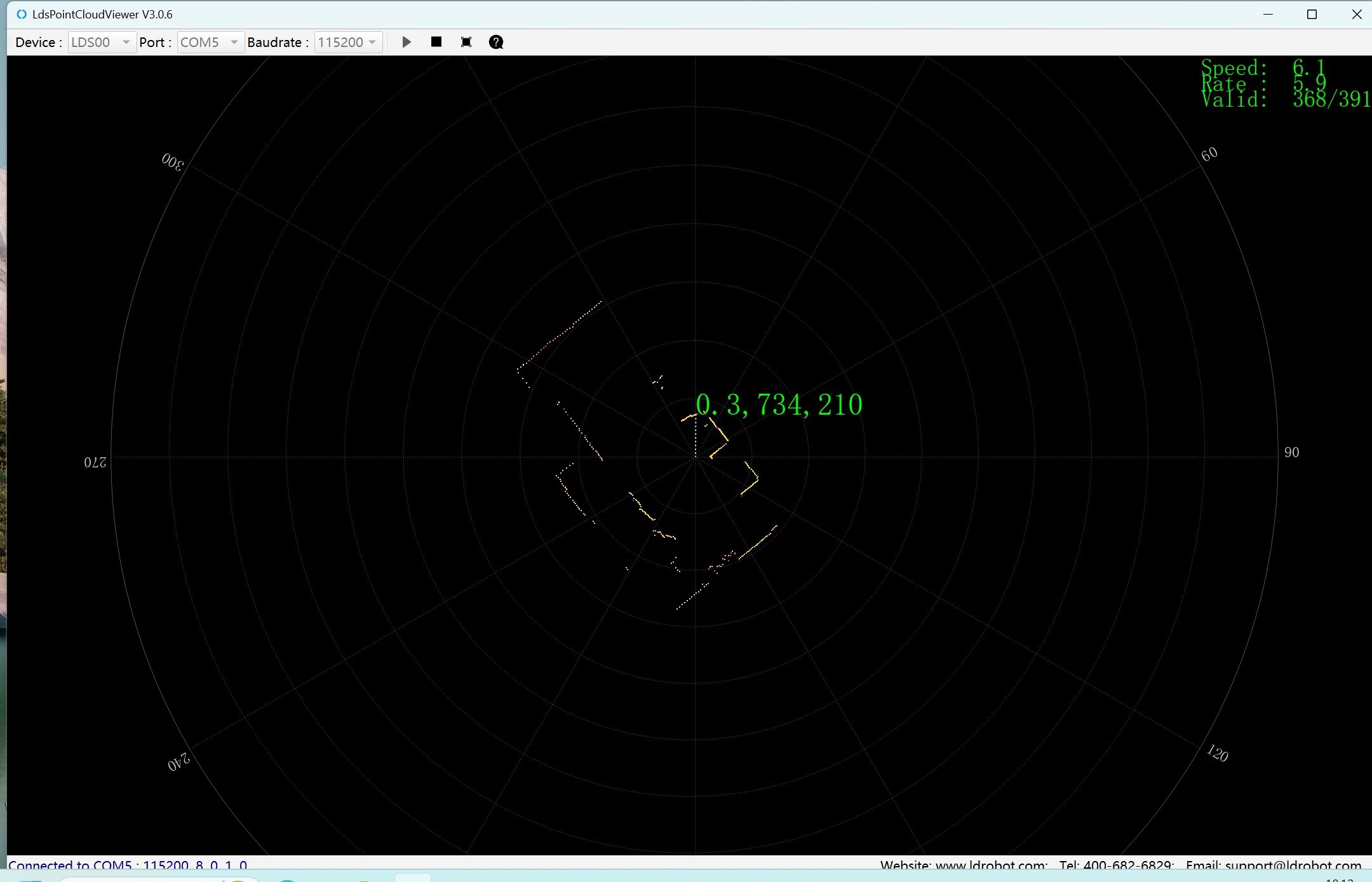
激光雷达环境感知 - 场景1
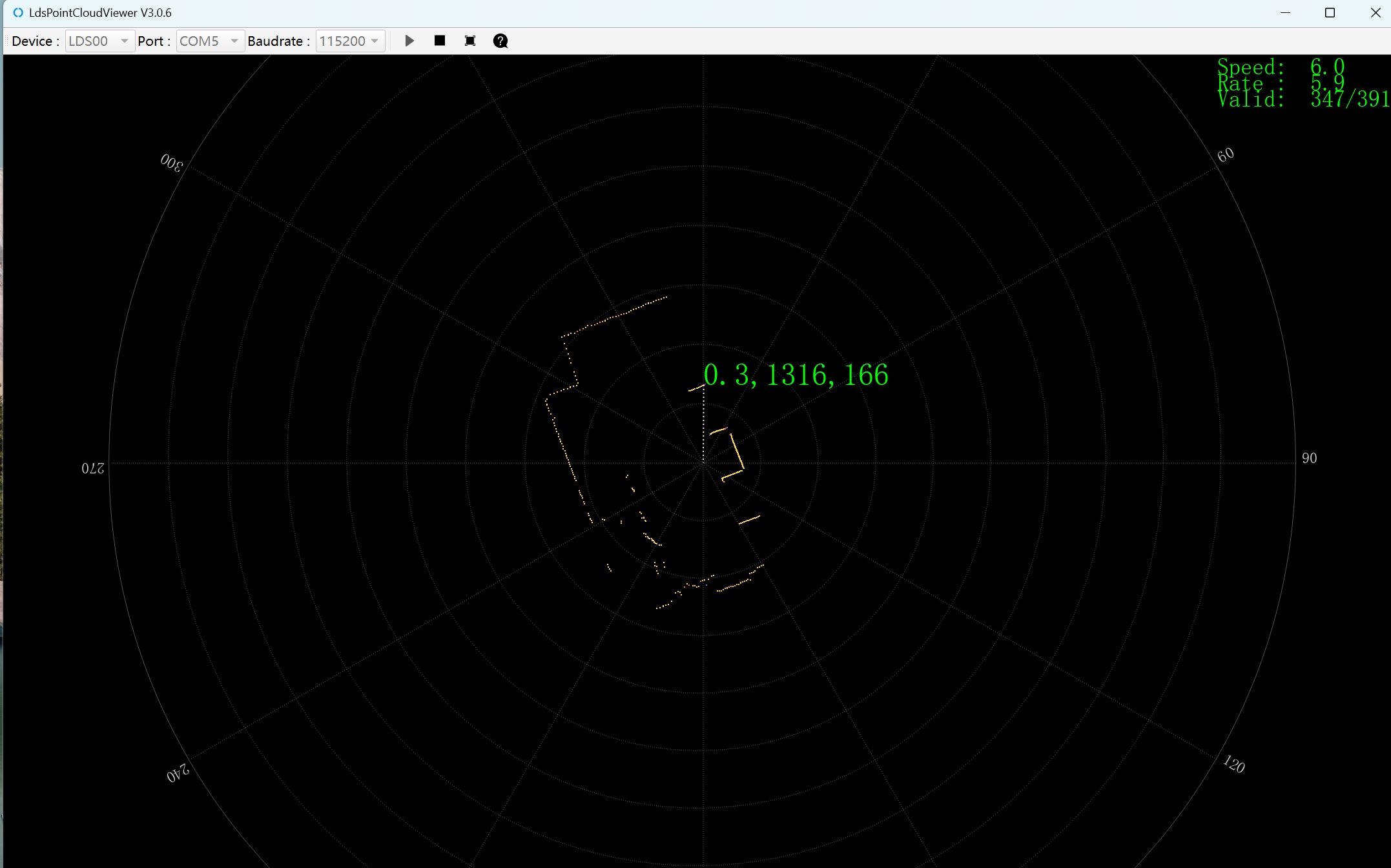
激光雷达环境感知 - 场景2
核心代码
以下展示项目中两个核心传感器的驱动程序。
OpenMV 视觉识别程序
视觉识别程序.py · OpenMV MicroPython
1 2 3 4 5 6 7 8 9 10 11 12 13 14 15 16 17 18 19 20 21 22 23 24 25 26 27 28 29 30 31 32 33 34 35 36 37 38 39 40 41 42 43 44 45 46 47 48 49 50 51 52 53 54 55 56 57 58 59 60 61 62 63 64 65 66 67 68 69 70 71 72 73 74 75 76 77 | |
激光雷达探测程序
激光雷达程序.py · Python Serial
1 2 3 4 5 6 7 8 9 10 11 12 13 14 15 16 17 18 19 20 21 22 23 24 25 26 27 28 29 30 31 32 33 34 35 36 37 38 39 40 41 42 43 44 45 | |
机械结构设计
六足机器人结构设计采用模块化设计理念,包含以下核心组件:
- 底盘主体:采用铝合金材料,重量轻、强度高
- 腿部机构:6条独立腿部,每条腿3个自由度(髋关节、膝关节、踝关节),共18个舵机
- 驱动系统:STM32主控板 + 电机驱动模块
- 感知模块:OpenMV摄像头 + 激光雷达 + IMU传感器
参赛收获
- 在江苏省大学生机器人大赛"越野"项目中荣获第11名(共23支队伍)
- 掌握多传感器融合的机器人感知方案设计与实现能力
- 积累 SolidWorks 机械建模与硬件系统集成的实战经验
- 锻炼团队协作与项目管理能力